
Proxmox backups
Design
- From Proxmox, we will be backing up VMs and containers to the TrueNAS that is running in Proxmox.
- In Proxmox, we mount the
alpha/proxmox/snapshotsdataset via NFS asalpha-snapshots. - Backups from Proxmox are done hourly on the hour (**:00) and copied to
alpha-snapshots. - In TrueNAS, backups are made from
alpha/proxmox/snapshotsto Backblaze B2.
Configuration
Mount the target volume
Mount the alpha/proxmox/snapshots dataset via NFS, call it alpha-snapshots.
Make sure to use the dedicated virtual network bridge vmbr1.
Create the backup job
Select Datacenter > Backups, create a backup job like so:
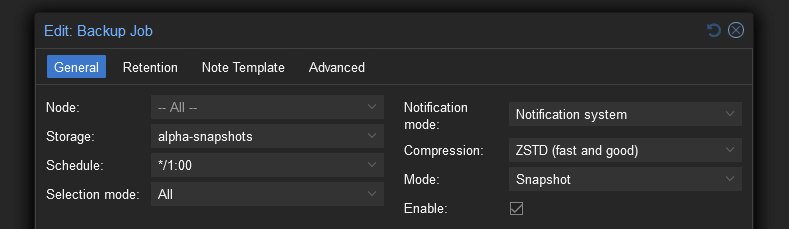
Mind the Notification system and Mode settings.
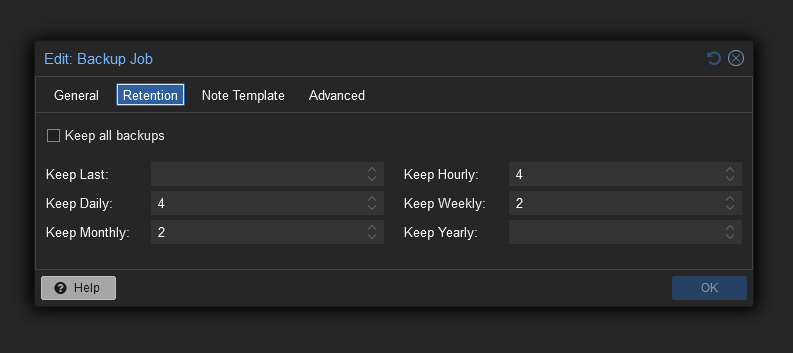
The above may change depending on needs, but it's what it's set to at the time of writing.
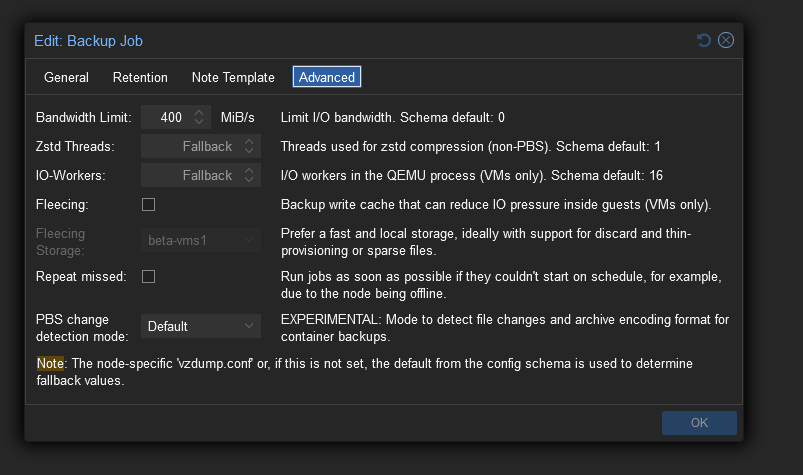
The only changed setting here is the bandwidth limit. The only reason it's set is to prevent completely hogging the disk I/O for several minutes. Yes, it takes longer as a result, but at least other services using the pool won't be I/O starved.
Configure vzdump
By default, vzdump creates temporary files in the target location (where the backup will go). As a result, it will try to symlink unprivileged container filesystems onto the NFS volume. This causes permission problems, even when NFS is set to mapall user/group.
To fix this problem, modify /etc/vzdump.conf:
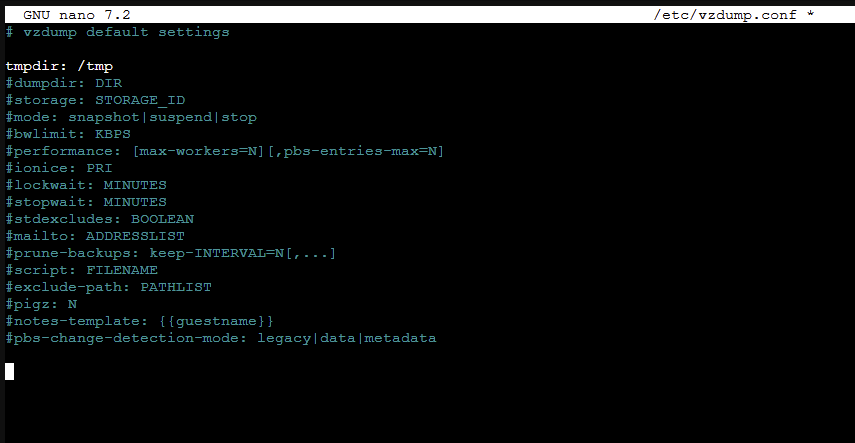
The only line changed is the tmpdir: one. Set it to /tmp to prevent doing the compression and such on the target volume.