
Installing TrueNAS
Installing TrueNAS
Lots of writing :(
Networking
Assuming you have created the inter-VM bridge network vmbr1, and have assigned it to the VM, we can set up networking in TrueNAS.
- Open the TrueNAS web UI using whatever IP address TrueNAS is reachable at.
- Navigate to Networking. It should look roughly like this:
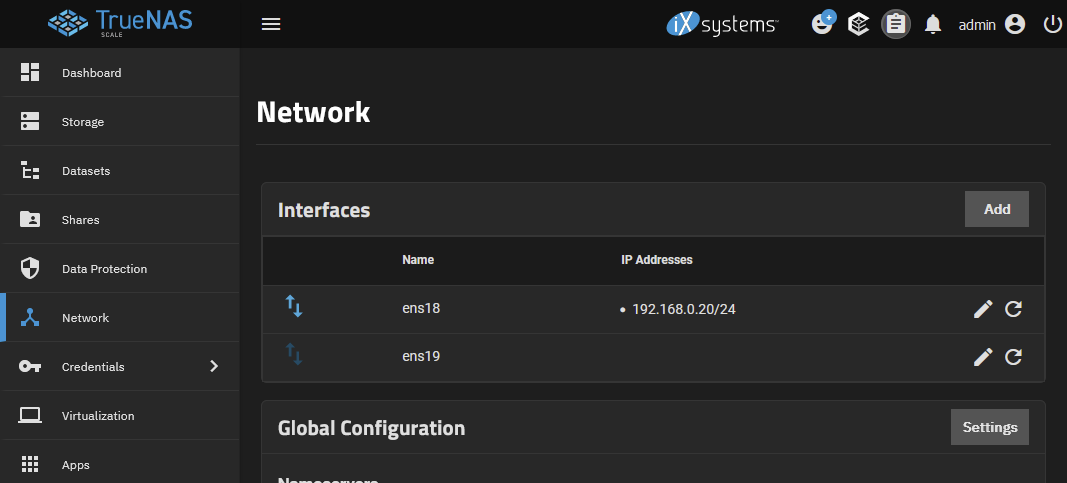
Primarily, you will see two interfaces. Most likely, one of them will have an IP address assigned already. This is the WAN, or the "where TrueNAS gets internet" interface.
The second interface however will probably not have any IP address. This is the inter-VM bridge network we created.
Configuring the bridge interface
Configure the inter-VM bridge to not use DHCP, and instead manually assign the IP 192.168.255.20:
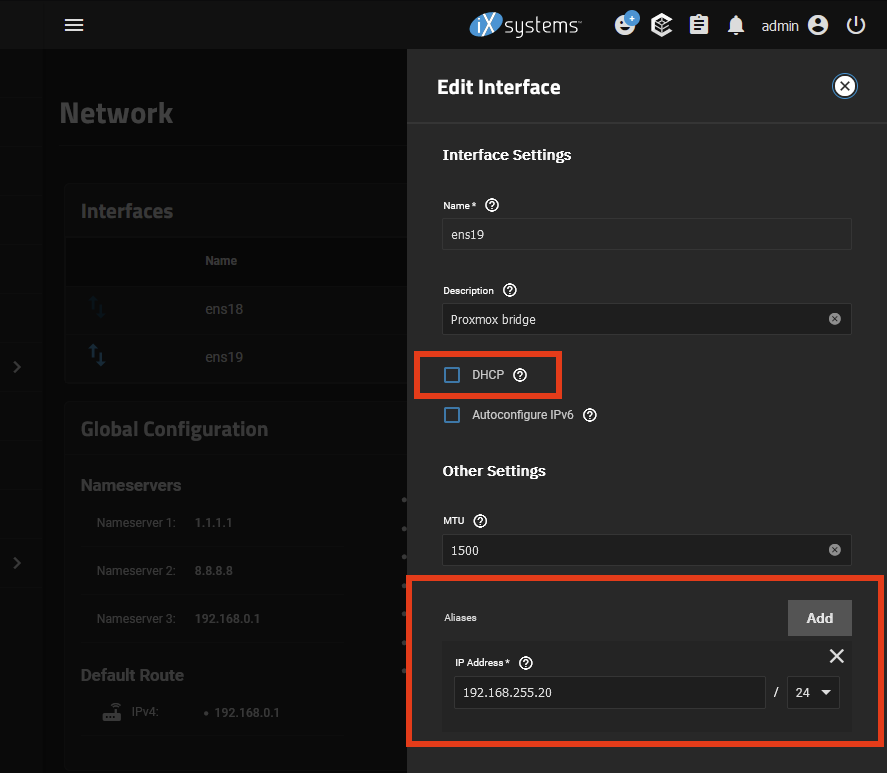
Save the settings, click